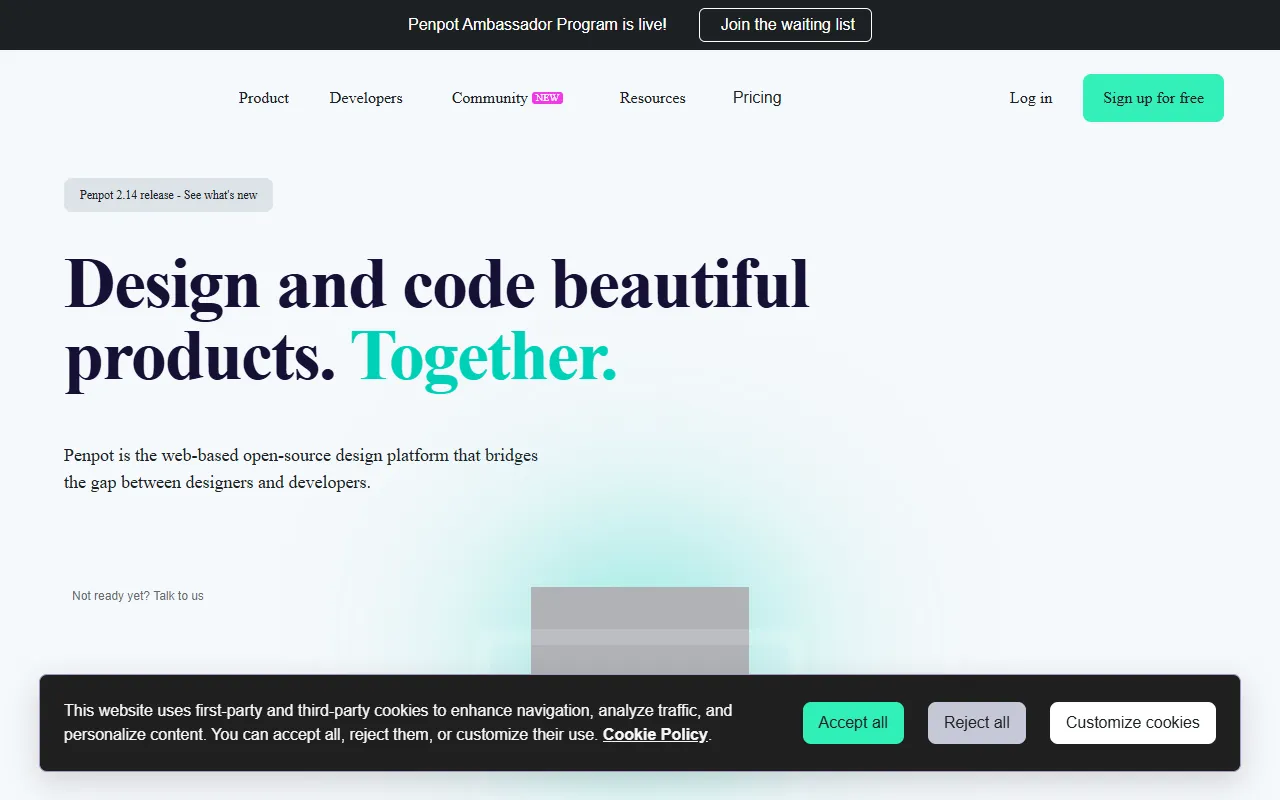
Quick Take
Open-source design platform as a Figma alternative with collaborative features.
Pricing
FreeTool Overview
Tags
What is Penpot?
Penpot is an open-source design and prototyping platform that serves as a free alternative to proprietary tools like Figma and Sketch. Developed by Kaleidos, a Spanish open-source software company, Penpot is the first open-source platform to offer professional-grade design capabilities for creating user interfaces, interactive prototypes, and design systems. The platform is built entirely on open web standards including SVG, CSS, and HTML, which means designs created in Penpot translate more naturally to web development code than those created in tools that use proprietary rendering engines.
What makes Penpot particularly significant in the design tool landscape is its commitment to openness at every level. The software is fully open-source under the Mozilla Public License 2.0, meaning anyone can inspect the code, contribute improvements, or deploy their own instance. Designs are stored in open formats rather than proprietary file types, preventing vendor lock-in and ensuring that creative work remains accessible regardless of the tool's future. This philosophy has resonated strongly with designers and developers who value digital sovereignty and want their tools to respect their freedom and data ownership.
Penpot can be used as a cloud-hosted service through the official Penpot website at no cost, or it can be self-hosted on an organization's own infrastructure for complete control over data and customization. The self-hosting option is particularly attractive for enterprises with strict data governance requirements, government organizations, educational institutions, and development teams who want to integrate the design platform tightly with their existing internal tools and workflows. The platform has gained significant momentum since its 2021 launch, with a growing community of designers and developers contributing to its rapid evolution.
Key Features
Open Standards Design: Penpot's use of SVG as its native design format means that every element created in the tool is a genuine web standard. This has practical implications for the designer-developer handoff, as designs can be inspected and exported as standard CSS properties and SVG code that developers can use directly. Unlike proprietary tools that require interpretation and translation, Penpot's output speaks the same language as the web, reducing friction and inconsistencies in the implementation process.
Real-Time Collaboration: Multiple team members can work simultaneously on the same design file with real-time synchronization, similar to the collaborative experience offered by Figma. Users can see each other's cursors, changes appear instantly for all collaborators, and the platform handles conflict resolution automatically. Built-in commenting allows stakeholders to provide feedback directly on specific design elements, and viewing permissions enable sharing with non-editing reviewers.
Interactive Prototyping: Penpot includes a full prototyping engine that allows designers to create interactive prototypes with transitions, animations, and user flow simulations. Prototype interactions can be triggered by clicks, hovers, and other user actions, with customizable transitions including dissolve, slide, and push effects. Prototypes can be shared via link for stakeholder review and user testing without requiring the viewer to have a Penpot account.
Components and Design Systems: The platform supports reusable components with overrides, shared libraries, and design tokens that enable teams to build and maintain consistent design systems. Components can be organized into libraries that are shared across multiple projects, ensuring consistency across an organization's product portfolio. Updates to library components propagate automatically to all instances, maintaining design system integrity as the system evolves.
Flex Layout System: Penpot implements CSS Flexbox directly in its design canvas, allowing designers to create responsive layouts that behave exactly like CSS flex containers. This feature is unique among design tools and eliminates the common problem of designs that look correct in a static mockup but do not translate properly to responsive web layouts. Designers can set flex properties like direction, alignment, gap, and wrapping directly on design elements, and the layout responds dynamically as content changes.
How It Works
Getting started with Penpot is as simple as creating a free account on the Penpot website or deploying a self-hosted instance using Docker. The cloud version requires no installation and provides immediate access to all features through a web browser. The interface will feel familiar to users of other design tools, with a canvas workspace, layers panel, properties panel, and toolbar containing drawing, shape, text, and interaction tools. New users can explore sample projects and community templates to understand the platform's capabilities and design conventions.
The design workflow in Penpot follows the same general patterns as other modern design tools. Users create frames that represent screens or components, draw shapes and add text using vector drawing tools, apply colors and styles through the properties panel, and organize elements using layers and groups. The flex layout feature adds a powerful dimension to the layout process, enabling designers to create truly responsive designs that adapt to different content sizes and screen dimensions within the design tool itself, rather than relying on separate responsive design plugins or manual calculations.
For teams, the workflow typically involves setting up shared design libraries containing the organization's components, colors, and typography, then creating project files for individual products or features. Designers work collaboratively on these files, sharing them with developers through the inspect mode that provides CSS values, SVG code, and asset exports. The open standards approach means that the inspect values are not approximations of web properties but actual CSS and SVG that can be used directly in development, significantly improving the accuracy and efficiency of the designer-developer handoff process.
Use Cases
Web Application Design: Design teams use Penpot for creating web application interfaces where the SVG-native, CSS-aligned approach provides particularly strong benefits. The flex layout system enables designers to create layouts that accurately represent how the final product will behave in a browser, reducing the gap between design and implementation and making responsive design a first-class concern throughout the design process.
Open Source Project Design: Open source software projects use Penpot as their design tool to maintain consistency with their project's open-source values. The ability to share design files in open formats allows community contributors to participate in the design process without requiring expensive proprietary software licenses, broadening participation in the project's design work.
Education and Training: Educational institutions use Penpot to teach design and prototyping skills to students without requiring expensive software licenses. The platform's free access and self-hosting capabilities make it ideal for classroom settings, and the use of web standards means students learn design concepts that translate directly to web development skills.
Enterprise Design with Data Sovereignty: Organizations with strict data governance requirements, including government agencies and healthcare companies, deploy self-hosted Penpot instances that keep all design data within their own infrastructure. This approach satisfies compliance requirements while still providing modern, collaborative design capabilities that would otherwise require cloud-based proprietary tools.
Pricing
Penpot is completely free for all users, with no paid tiers, no feature restrictions, and no limits on the number of projects, files, or collaborators. The cloud-hosted version at penpot.app provides full functionality at no cost, funded by Kaleidos and the Penpot community. For organizations that prefer to self-host, the platform can be deployed using Docker at no licensing cost, though organizations are responsible for their own infrastructure and maintenance costs. Penpot does offer optional premium support and consulting services for enterprise clients who want professional assistance with deployment, customization, or migration from other design tools. The company's business model is built around enterprise services and sponsorships rather than subscription fees, ensuring the core platform remains free and accessible to all users indefinitely.
Pros and Cons
Pros:
Completely free and open-source with no feature restrictions, eliminating licensing costs that can be substantial for design teams using proprietary tools, especially when including all collaborators and stakeholders who need access.
Built on open web standards including SVG and CSS, resulting in designs that translate more accurately to web development code and reducing the friction and inconsistencies that plague the designer-developer handoff with proprietary tools.
Self-hosting option provides complete control over design data, satisfying data sovereignty requirements that prevent many organizations from using cloud-based design tools for sensitive or regulated projects.
Cons:
The plugin ecosystem and third-party integrations are still developing compared to the mature marketplace available for Figma, which means some specialized workflows may require workarounds or manual processes.
While improving rapidly, Penpot's performance with very large and complex design files may not yet match the optimization level of more established tools, particularly for projects with hundreds of components and multiple large artboards.
Who Is It Best For?
Penpot is best suited for design teams and organizations that value open-source software, data sovereignty, and alignment with web standards. It is particularly compelling for open-source projects that want their design tools to match their project's values, educational institutions that need free design tools for students, government and enterprise organizations with strict data governance requirements, and startups that want professional design capabilities without the cost of proprietary tool subscriptions. Web developers who also handle design work will especially appreciate the CSS-native approach that produces designs naturally aligned with web development practices.
Why Choose Penpot?
Penpot represents a fundamental shift in how design tools can work, proving that professional-grade design capabilities can be delivered through open-source software built on open standards. By aligning design tools with the web technologies that will ultimately render the final product, Penpot eliminates translation layers and reduces the friction that has long characterized the design-to-development process. For teams and organizations that believe their creative tools should be as open and interoperable as the web itself, Penpot provides a compelling alternative that combines principled architecture with practical, professional design capabilities that continue to improve with every release.
ADVERTISEMENT
728 x 90
Browse More Tools
View all
Connected Papers
Research ToolsVisual tool for exploring academic paper connections and building literature graphs.
Ironclad
Legal AIAI-powered contract lifecycle management platform for enterprise legal teams.
MindsDB
Data AnalyticsAI platform that brings machine learning directly into your existing databases.
AI Shirt Design Generator - YupTees
AI Image GenerationYupTees: AI-powered T-shirt design generator for fast, easy, and scalable print-on-demand creations.
Claude
AI AssistantsAnthropic's AI assistant known for thoughtful, nuanced responses, strong reasoning capabilities, and a focus on safety and helpfulness.
AlphaFold
Science AIDeepMind AI system that predicts 3D protein structures with remarkable accuracy.

Cursor
Code AssistantsAn AI-first code editor built on VS Code that integrates AI deeply into every aspect of the coding experience, from writing to debugging.
ChatGPT
AI AssistantsOpenAI's conversational AI assistant capable of generating text, answering questions, writing code, and assisting with a wide range of tasks.

Claid.ai
Image EditingAI product photo editing with automated background removal, upscaling, and enhancement.